Simple step-by-step guide to transferring your beloved VHS tapes using a converter
There's more than one reason to convert VHS tapes to DVD.
Old VHS tapes and VCRs are fast becoming obsolete technology—many may argue they already are. If you have footage you want to preserve that is currently in VHS format, now is the time to convert those videos to DVD. VCRs are still available, as are services and machines that can help you make the transfer. If you continue to wait, you'll see fewer and fewer conversion options, and it will be more difficult to save your VHS footage.
Another concern is damage. Even if your VCR doesn't eat your VHS tape, the film in it will slowly degrade over time—whether you play it often or not. Tapes can start falling apart in as little as 3 years, whereas DVDs can last anywhere from 20 to (some say) even 250 years. Whether it's your favorite blockbuster movie or a sentimental home video, you should make the switch and convert VHS to DVD sooner rather than later.
So how do you transfer VHS to DVD? What equipment do you need? There are several methods for copying VHS to DVD. The good news is that the equipment is easy to find.
- Use a Combination Unit. If you have a combination DVD/VHS machine, you may be able to easily transfer data from a VHS tape to a DVD. Check whether the DVD component of your DVD/VHS machine has a recording option. If it does, insert a blank DVD-R (or DVD-RW) into the DVD tray, insert the VHS tape you want to transfer into the VCR portion, and follow the steps in your machine's instruction manual. You will not be able to modify the video, so if you need to alter menus or chapters, you should not use this method. Otherwise, using a combination unit is the simplest and fastest type of VHS-to-DVD converter.
Note: You may need to finalize your burned DVD before removing it from the DVD/VCR unit; otherwise, it might not play in standard DVD players. What a shame that would be—going through the converting process and then realizing the DVD doesn't work! - Use a Video Camera. If you have a digital video camcorder, you can use it as an intermediary to convert your VHS tapes to DVD format. Hook your VCR up to your video camera using composite video cables (the red, white, and yellow cables). If you don't have these, purchase them from any electronics store so you can complete the conversion. Attach these cables to your VCR's video-out port and to the video-in port on your camcorder. Different makes and models of camcorders work differently, so your best bet is to read your camcorder's instruction manual to determine the exact steps. With the press of a few buttons, you should have your VHS data on your video camcorder. You can then transfer that data by connecting your camcorder to your computer or DVD burner.
Note: You may need an analog-to-digital converter between your VCR and camcorder if your camcorder does not have this feature built in.
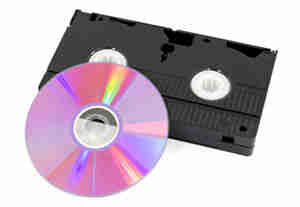
- Use a Computer. You'll need an analog-to-digital converter as a middleman between your VCR and computer to convert VHS data into a format that your computer can recognize. There are a variety of converters available. Depending on the quality and precision you're looking for in your new DVD, you may need to do some research to determine which product is best for you. You also need to ensure that your computer can burn DVDs. Just because it can burn CDs does not automatically mean it can burn DVDs as well. Devices like Hewlett-Packard's DVD Movie Writer solve this problem by providing the analog-to-digital conversion and the DVD burning hardware in one machine.
- Use an External DVD Burner. Believe it or not, there are machines made for just this purpose. If you have a lot of VHS tapes to transfer to DVD, or you don't mind buying some extra hardware, purchasing an external device might be the way to go. For $100-$150, you can get a decent DVD burner that will hook right up to your VCR and create DVDs from your VHS tapes in no time. The good news: burning DVDs is easy, and once you burn a DVD, you can copy it as many times as you'd like.
- Use a VHS to DVD Conversion Service. If you don't want to deal with wires and buttons and the responsibility of converting your VHS tapes into DVDs yourself, there are a variety of conversion services that would be happy to help—for a fee, of course. These companies can sometimes copy protected videos to DVDs. Sites like Home Movie Depot and APM Studio will make the transfer for anywhere from $10 to $30, depending on what specific services you require.
Some tips for VHS-to-DVD conversion: If you are using a method that includes VCRs or camcorders, make sure the tape heads are clean. Also, be aware that any flaws on the VHS tape will be more obvious when you transfer it to DVD.
Required Tools:
- Blank DVD-R
- VHS Tape
- DVD Burner
Useful Links:
- DVD Movie Writer
- Home Movie Depot
- APM Studio
Convert VHS to DVD
Simple step-by-step guide to transferring your beloved VHS tapes using a converter
There's more than one reason to convert VHS tapes to DVD.
Old VHS tapes and VCRs are fast becoming obsolete technology—many may argue they already are. If you have footage you want to preserve that is currently in VHS format, now is the time to convert those videos to DVD. VCRs are still available, as are services and machines that can help you make the transfer. If you continue to wait, you'll see fewer and fewer conversion options, and it will be more difficult to save your VHS footage.
Another concern is damage. Even if your VCR doesn't eat your VHS tape, the film in it will slowly degrade over time—whether you play it often or not. Tapes can start falling apart in as little as 3 years, whereas DVDs can last anywhere from 20 to (some say) even 250 years. Whether it's your favorite blockbuster movie or a sentimental home video, you should make the switch and convert VHS to DVD sooner rather than later.
So how do you transfer VHS to DVD? What equipment do you need? There are several methods for copying VHS to DVD. The good news is that the equipment is easy to find.
- Use a Combination Unit. If you have a combination DVD/VHS machine, you may be able to easily transfer data from a VHS tape to a DVD. Check whether the DVD component of your DVD/VHS machine has a recording option. If it does, insert a blank DVD-R (or DVD-RW) into the DVD tray, insert the VHS tape you want to transfer into the VCR portion, and follow the steps in your machine's instruction manual. You will not be able to modify the video, so if you need to alter menus or chapters, you should not use this method. Otherwise, using a combination unit is the simplest and fastest type of VHS-to-DVD converter.
Note: You may need to finalize your burned DVD before removing it from the DVD/VCR unit; otherwise, it might not play in standard DVD players. What a shame that would be—going through the converting process and then realizing the DVD doesn't work! - Use a Video Camera. If you have a digital video camcorder, you can use it as an intermediary to convert your VHS tapes to DVD format. Hook your VCR up to your video camera using composite video cables (the red, white, and yellow cables). If you don't have these, purchase them from any electronics store so you can complete the conversion. Attach these cables to your VCR's video-out port and to the video-in port on your camcorder. Different makes and models of camcorders work differently, so your best bet is to read your camcorder's instruction manual to determine the exact steps. With the press of a few buttons, you should have your VHS data on your video camcorder. You can then transfer that data by connecting your camcorder to your computer or DVD burner.
Note: You may need an analog-to-digital converter between your VCR and camcorder if your camcorder does not have this feature built in.
- Use a Computer. You'll need an analog-to-digital converter as a middleman between your VCR and computer to convert VHS data into a format that your computer can recognize. There are a variety of converters available. Depending on the quality and precision you're looking for in your new DVD, you may need to do some research to determine which product is best for you. You also need to ensure that your computer can burn DVDs. Just because it can burn CDs does not automatically mean it can burn DVDs as well. Devices like Hewlett-Packard's DVD Movie Writer solve this problem by providing the analog-to-digital conversion and the DVD burning hardware in one machine.
- Use an External DVD Burner. Believe it or not, there are machines made for just this purpose. If you have a lot of VHS tapes to transfer to DVD, or you don't mind buying some extra hardware, purchasing an external device might be the way to go. For $100-$150, you can get a decent DVD burner that will hook right up to your VCR and create DVDs from your VHS tapes in no time. The good news: burning DVDs is easy, and once you burn a DVD, you can copy it as many times as you'd like.
- Use a VHS to DVD Conversion Service. If you don't want to deal with wires and buttons and the responsibility of converting your VHS tapes into DVDs yourself, there are a variety of conversion services that would be happy to help—for a fee, of course. These companies can sometimes copy protected videos to DVDs. Sites like Home Movie Depot and APM Studio will make the transfer for anywhere from $10 to $30, depending on what specific services you require.
Some tips for VHS-to-DVD conversion: If you are using a method that includes VCRs or camcorders, make sure the tape heads are clean. Also, be aware that any flaws on the VHS tape will be more obvious when you transfer it to DVD.
Required Tools:
- Blank DVD-R
- VHS Tape
- DVD Burner
Useful Links:
- DVD Movie Writer
- Home Movie Depot
- APM Studio
Convert VHS to DVD
By Howtodotips
Simple step-by-step guide to transferring your beloved VHS tapes using a converter