A comprehensive guide on how to choose, prepare, and install a wireless security camera for your home or workplace.
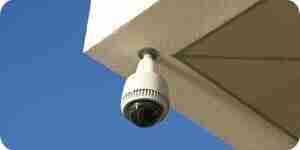
A wireless security camera is a smart investment today. It enhances your peace of mind by allowing you to monitor multiple areas of your home or workplace simultaneously. You can also use it for oversight—such as in factories—to ensure that employees are performing their duties properly. Moreover, unlike a wired security camera, you do not have to worry about running a cable all the way from the camera to the monitor; all you need is a wireless adapter. Most digital security cameras available today are wireless.
A closed-circuit television (CCTV) camera is one type of wireless security camera. It operates similarly to broadcast television, except that its transmission scope is limited and the signal is not publicly broadcast. When installing a security camera, you can use a television as a monitor, or you can use a personal computer for the same purpose, especially if you plan to view the security footage via the internet.
Before installing your wireless security camera, read the instruction manual thoroughly. While it will likely outline steps similar to the ones below, there may be specific instructions unique to your model of surveillance camera. Here is how you can install a wireless security camera:
- Make sure you have all the necessary security equipment. If you are buying the materials as a bundle, verify that all components are included. Before you leave the store, open the box and check the accessories one by one.
- Choose the location where you are going to place the security camera. Select an angle that covers the widest possible area; it is pointless to install a security camera where it cannot fulfill its purpose. Your security camera should also be mounted high enough so that people cannot easily reach it, preventing tampering by mischievous individuals. If your camera requires an electrical outlet, place it near a power source. If you are installing an outdoor security camera, it must be positioned where it is adequately protected from the elements, such as rain and wind.
- Take the mounting bracket of the security camera and hold it against the surface where you plan to mount it. Ensure it is level.
- Mark the points where you are going to drill holes for the screws.
- Drill the holes.
- Install the mounting bracket securely using the provided screws.
- Mount the security camera onto the bracket.
- If your security camera is battery-powered, check that the batteries are in good condition. Always use fresh batteries.
- Synchronize the security camera with the signal receiver and the monitor. Follow the instructions in the manual closely.
- If you plan to monitor your security camera over the internet, ensure your connection is sufficiently fast. If you only have dial-up access, you must upgrade your internet service and acquire any necessary additional equipment, such as a DSL modem.
- Start using your security camera, and enjoy the enhanced sense of safety it provides.
How to Install a Wireless Security Camera
A comprehensive guide on how to choose, prepare, and install a wireless security camera for your home or workplace.
A wireless security camera is a smart investment today. It enhances your peace of mind by allowing you to monitor multiple areas of your home or workplace simultaneously. You can also use it for oversight—such as in factories—to ensure that employees are performing their duties properly. Moreover, unlike a wired security camera, you do not have to worry about running a cable all the way from the camera to the monitor; all you need is a wireless adapter. Most digital security cameras available today are wireless.
A closed-circuit television (CCTV) camera is one type of wireless security camera. It operates similarly to broadcast television, except that its transmission scope is limited and the signal is not publicly broadcast. When installing a security camera, you can use a television as a monitor, or you can use a personal computer for the same purpose, especially if you plan to view the security footage via the internet.
Before installing your wireless security camera, read the instruction manual thoroughly. While it will likely outline steps similar to the ones below, there may be specific instructions unique to your model of surveillance camera. Here is how you can install a wireless security camera:
- Make sure you have all the necessary security equipment. If you are buying the materials as a bundle, verify that all components are included. Before you leave the store, open the box and check the accessories one by one.
- Choose the location where you are going to place the security camera. Select an angle that covers the widest possible area; it is pointless to install a security camera where it cannot fulfill its purpose. Your security camera should also be mounted high enough so that people cannot easily reach it, preventing tampering by mischievous individuals. If your camera requires an electrical outlet, place it near a power source. If you are installing an outdoor security camera, it must be positioned where it is adequately protected from the elements, such as rain and wind.
- Take the mounting bracket of the security camera and hold it against the surface where you plan to mount it. Ensure it is level.
- Mark the points where you are going to drill holes for the screws.
- Drill the holes.
- Install the mounting bracket securely using the provided screws.
- Mount the security camera onto the bracket.
- If your security camera is battery-powered, check that the batteries are in good condition. Always use fresh batteries.
- Synchronize the security camera with the signal receiver and the monitor. Follow the instructions in the manual closely.
- If you plan to monitor your security camera over the internet, ensure your connection is sufficiently fast. If you only have dial-up access, you must upgrade your internet service and acquire any necessary additional equipment, such as a DSL modem.
- Start using your security camera, and enjoy the enhanced sense of safety it provides.
How to Install a Wireless Security Camera
By Howtodotips
A comprehensive guide on how to choose, prepare, and install a wireless security camera for your home or workplace.