Learn how to clean your computer screen safely!
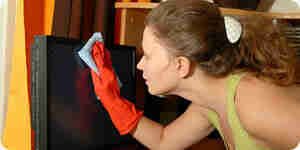
To clean your LCD, you can use a soft cloth, water, and isopropyl alcohol.
- Turn off your LCD monitor. Turn off your screen and unplug any power sources connected to it (if possible). This will also make it easier to see dirt, dust, and streaks.
- Grab a soft, clean cloth. Look around your house for the softest, smoothest, and cleanest cloth you can find. Look in eyeglass cases, linen closets, and/or laundry rooms.
- Grab water and/or isopropyl alcohol. If your monitor isn't very dirty, water will do just fine, but if it has been a while since you last cleaned it, you can use a mixture of isopropyl alcohol and water (about half and half) and put it in an empty spray bottle.
- Spray the mixture onto the cloth. Make sure you spray the mixture onto your cloth and not directly onto the screen.
- Wipe the screen gently. Make your first pass over the screen lightly so you can just get the big stuff. Then refold the cloth, spray it, and wipe gently but with enough pressure to get rid of fingerprints and other dirt. Make sure you also wipe your screen from left to right, up to down, or vice versa.
- Turn on the screen. Now turn on your screen and you should have a clear, beautiful screen with no marks!
How to Clean an LCD Monitor
Learn how to clean your computer screen safely!
To clean your LCD, you can use a soft cloth, water, and isopropyl alcohol.
- Turn off your LCD monitor. Turn off your screen and unplug any power sources connected to it (if possible). This will also make it easier to see dirt, dust, and streaks.
- Grab a soft, clean cloth. Look around your house for the softest, smoothest, and cleanest cloth you can find. Look in eyeglass cases, linen closets, and/or laundry rooms.
- Grab water and/or isopropyl alcohol. If your monitor isn't very dirty, water will do just fine, but if it has been a while since you last cleaned it, you can use a mixture of isopropyl alcohol and water (about half and half) and put it in an empty spray bottle.
- Spray the mixture onto the cloth. Make sure you spray the mixture onto your cloth and not directly onto the screen.
- Wipe the screen gently. Make your first pass over the screen lightly so you can just get the big stuff. Then refold the cloth, spray it, and wipe gently but with enough pressure to get rid of fingerprints and other dirt. Make sure you also wipe your screen from left to right, up to down, or vice versa.
- Turn on the screen. Now turn on your screen and you should have a clear, beautiful screen with no marks!
How to Clean an LCD Monitor
By Howtodotips
Learn how to clean your computer screen safely!